News · Salesforce
Is the CRM still the interface? What ChatGPT for Sales changes
ChatGPT for Sales moves sales work into an assistant. The CRM stays the system of record. What to fix in data, access and write-back first.
- Written by
- Synairo editorial
- Published
- Reported event
- Reading time
- 5 min read
Short answer
For many day-to-day sales tasks, the place where sellers work is moving into AI assistants. On 17 November 2026, OpenAI launched ChatGPT for Sales, which reads account context from Salesforce, HubSpot and other CRMs through partner plugins. The CRM does not go away. It stays the system of record: it holds the accounts, opportunities, permissions and history that assistants read, and it is where any update has to land correctly. What changes is the job of the CRM team. It shifts from building screens to running a trustworthy data and write-back layer for people and agents.
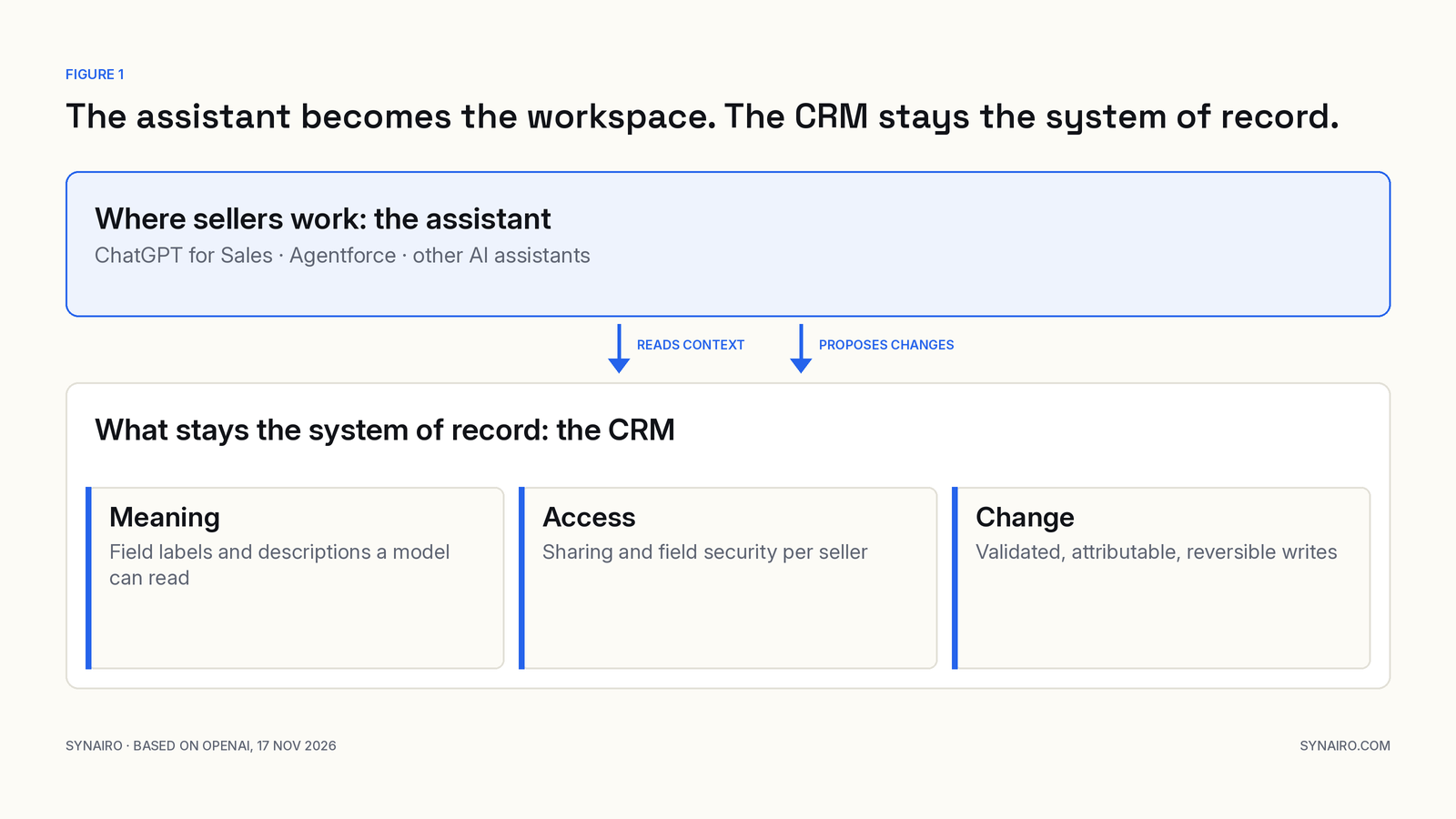
Figure 1. The assistant becomes the workspace. The CRM stays the system of record.
What did OpenAI launch on 17 November 2026?
OpenAI introduced ChatGPT for Sales: a Sales plugin with ready-made workflows for sellers, plus more than 30 new and expanded partner plugins. According to OpenAI, sellers can use it to prioritise accounts, prepare for calls, draft follow-ups and prepare updates to customer records, using context from tools the team already has.
The partner plugins OpenAI names include:
| Sales activity | Partner tools named by OpenAI |
|---|---|
| Accounts and deals | Salesforce, HubSpot, Close CRM, monday CRM |
| Finding buyers | Apollo, Clay, Common Room, ZoomInfo; Outreach and Salesloft for outreach |
| Conversations | Gong, Otter.ai, Granola, ChatGPT Meetings plugin |
| Pipeline risk | Backstory, Rox, Hex, ChatGPT Data plugin |
| Content and enablement | Confluence, Guru, Seismic, Gamma, Figma, Canva |
| Quotes and agreements | Docusign, Ironclad, PandaDoc, ServiceNow CPQ |
OpenAI also describes "your dot", an always-on agent in ChatGPT that can use the same plugins to prepare meeting briefs and propose next steps for the seller to review.
Two practical details matter. Partner plugin availability "varies by plan, region, and workspace settings". And ChatGPT Business and Enterprise admins decide which plugins are available, and review the apps and actions those plugins can use, in the Admin Console.
Is the CRM still the main user interface?
For a growing share of sales tasks, no. For the business, yes, as the source of truth.
Look at the workflows OpenAI describes: build a prioritised account list, get a briefing before a meeting, draft the follow-up, find out what is holding up a deal. A seller can do each of these without opening a CRM screen. The assistant pulls the context and the seller reads the result in a conversation.
But every one of those workflows depends on the CRM. Account history, opportunity stage, contact roles and past commitments still live there. Forecasts, commission, territory rules and reporting still run off it. When the assistant proposes a next step, the record that counts is still the CRM record.
So the interface splits. People increasingly work in an assistant, while the record stays in the CRM. Teams that keep treating the CRM only as a set of page layouts will find that the most-used "screen" is one they do not control.
What does "CRM as a data layer" mean in practice?
It means the CRM is judged less by how its pages look and more by three properties that an assistant or agent depends on:
- 01Meaning. Can a model tell what a field means? A picklist value like "Stage 4" or a custom field called
Score_2__cis easy for a long-time user and opaque for an assistant. Clear field labels, descriptions and consistent definitions start to matter as much as layouts. - 02Access. Does the assistant see what the seller is allowed to see, and nothing more? Sharing rules, field-level security and the identity used by the plugin decide that.
- 03Change. When something is written back, is it validated, attributable and reversible? Validation rules, required fields, duplicate rules and field history become the guardrails for non-human edits.
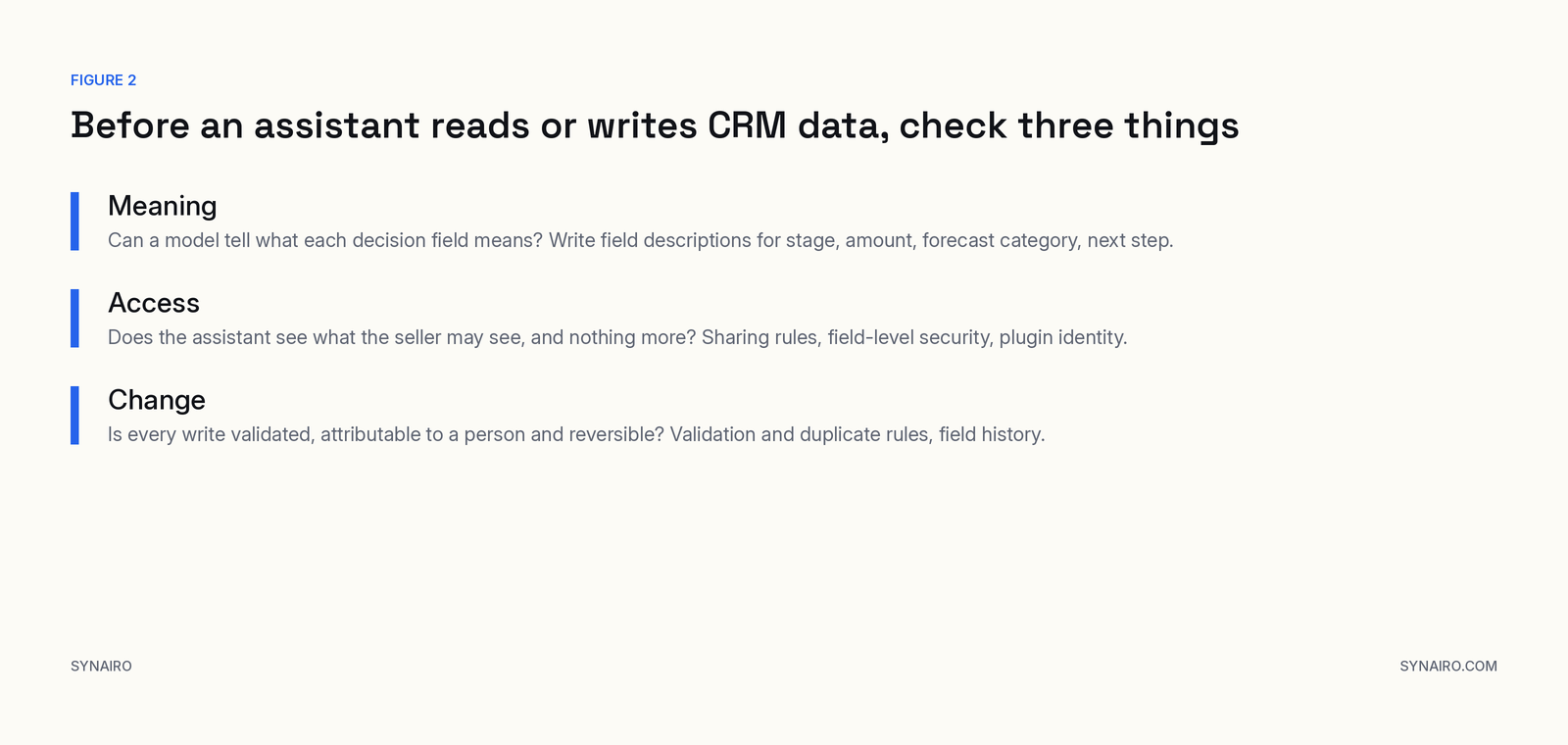
Figure 2. Three properties to check before an assistant reads or writes CRM data.
What has to be true in your CRM before assistants read it?
An assistant that summarises a bad record produces a well-written bad summary. Before you connect a plugin, check:
- Duplicates. Two accounts for the same customer means two different briefings.
- Stale stages and close dates. Pipeline-risk prompts take these at face value.
- Free-text notes versus structured fields. If commitments live only in notes, the assistant may find them, or may miss them. Decide which facts must be structured.
- Field descriptions. Write short descriptions for the fields that drive decisions: stage, amount, forecast category, next step.
- Ownership. Name an owner for each core object, so someone is accountable when a summary is wrong because the data is wrong.
Who is allowed to write back to the CRM?
This is the decision that most needs an architect. OpenAI describes ChatGPT preparing updates to the customer record for the seller to review, and gives Attio as an example of saving a next step to the CRM from ChatGPT. OpenAI does not say, in this announcement, which write actions each CRM plugin supports, so check that for your own CRM before you design around it.
Whatever your plugin supports, set the rules first:
| Question | Recommended default |
|---|---|
| Which identity makes the change? | The seller's own user, not a shared integration user, so audit trails show a person. |
| Which objects and fields may be changed? | Start with activities, tasks and next-step fields; keep amount, stage and close date human-edited. |
| Is a human confirmation required? | Yes, for every write, at least at the start. |
| What validates the change? | The same validation and duplicate rules that apply to people, never bypassed for the integration. |
| How is it traced? | Field history tracking or an audit object on the fields assistants may touch. |
How do ChatGPT for Sales and Agentforce fit together?
They solve overlapping problems from different directions. Agentforce runs inside Salesforce, close to the data and its permissions. ChatGPT for Sales brings Salesforce context into a general assistant that sellers may already use for everything else.
Many companies will end up with both. That is workable, but only if two agents cannot quietly update the same record in different ways. Write down which agent is allowed to change which fields, and apply the same rules to both.
What should a Salesforce team do this quarter?
- 01List the assistants and plugins that already touch CRM data, including ones individual sellers connected themselves.
- 02Pick the three to five fields that drive forecasts and protect them: human edits only, with history tracking switched on.
- 03Write field descriptions for the objects assistants read most.
- 04Run a duplicate and stale-data clean-up on the accounts and opportunities in active pipeline.
- 05Pilot one read-only workflow, such as meeting briefings, before allowing any write-back.
- 06Agree who approves new plugins: sales operations, IT, security, or all three.
Synairo works on Salesforce architecture and integrations, including how AI assistants and agents connect to CRM data. If you want a second opinion on your write-back rules, contact us (opens in a new tab).
FAQ
Does ChatGPT for Sales replace Salesforce?
No. It uses Salesforce, among other CRMs, as a source of account context through a partner plugin. Records, permissions and reporting still live in the CRM.
Is ChatGPT for Sales available on every ChatGPT plan?
OpenAI says the availability of partner plugins and features varies by plan, region and workspace settings. Business and Enterprise admins enable it in the Admin Console.
Can ChatGPT update Salesforce records directly?
OpenAI's announcement describes preparing record updates for review and shows a direct save to the CRM with Attio. Check the current capabilities of the Salesforce plugin in your workspace before you plan around writes.
What is the biggest risk of connecting an assistant to a CRM?
Poor data quality and unclear write rules. An assistant repeats what the CRM says, and an uncontrolled write-back can spread errors faster than a person would.
Should we wait before connecting a plugin?
Not necessarily. Start read-only, on clean data, with an approved list of plugins. Add writes once the rules in this article are in place.
Sources
- OpenAI, "Introducing ChatGPT for Sales", 17 November 2026. https://openai.com/index/introducing-chatgpt-for-sales/